AIRWORDS / SCIENCE EXPLORER
Virtual science experiments.
Real questions.
Explore magnets, shadows, floating objects and coloured light in AirWords, an Android learning app designed for ages 6–12. These are simplified simulations: a place to predict, change something and describe what happened.
AirWords is in testing. These activities run inside the app; this page is a guide, not a playable web lab.
Start with a question
Choose one activity together. Before touching a control, ask “What do you think will happen?” Try a change, observe the result, then ask what could be tested next. An unexpected result is a useful starting point for another question.
Magnet Detectives: which materials are attracted?
Move the virtual magnet close to the iron, wood and brass samples, or use the individual test buttons. Compare the observations. The model distinguishes iron from the other samples; it does not imply that every metal is strongly attracted to an ordinary magnet.
Conversation starter: “The iron and brass both look metallic. Did they behave the same way?”
Shadow Theatre: change the distance
Move the puppet between a fixed lamp and screen. In this simplified point-light model, bringing the puppet closer to the lamp makes its shadow larger. Compare the near-lamp, middle and near-screen positions while keeping the other conditions fixed.
Conversation starter: “Did the puppet grow, or did its shadow change?”
Sink or float: predict, then observe
Select a solid sample, predict whether it will sink or float, then place it in the virtual fresh water. The activity records predictions and results for that visit. Compare different samples instead of guessing the answer from their appearance alone.
The model uses specific solid samples. Shape, trapped air and the liquid can change what happens with other objects; the simulation is not a universal rule for everything made from a material.
Coloured light: explore the overlap
Switch the red, green and blue projectors on and off and read the label for their combined light. This is additive light mixing, which works differently from mixing paint. Text labels accompany the colours.
A virtual reaction workbench
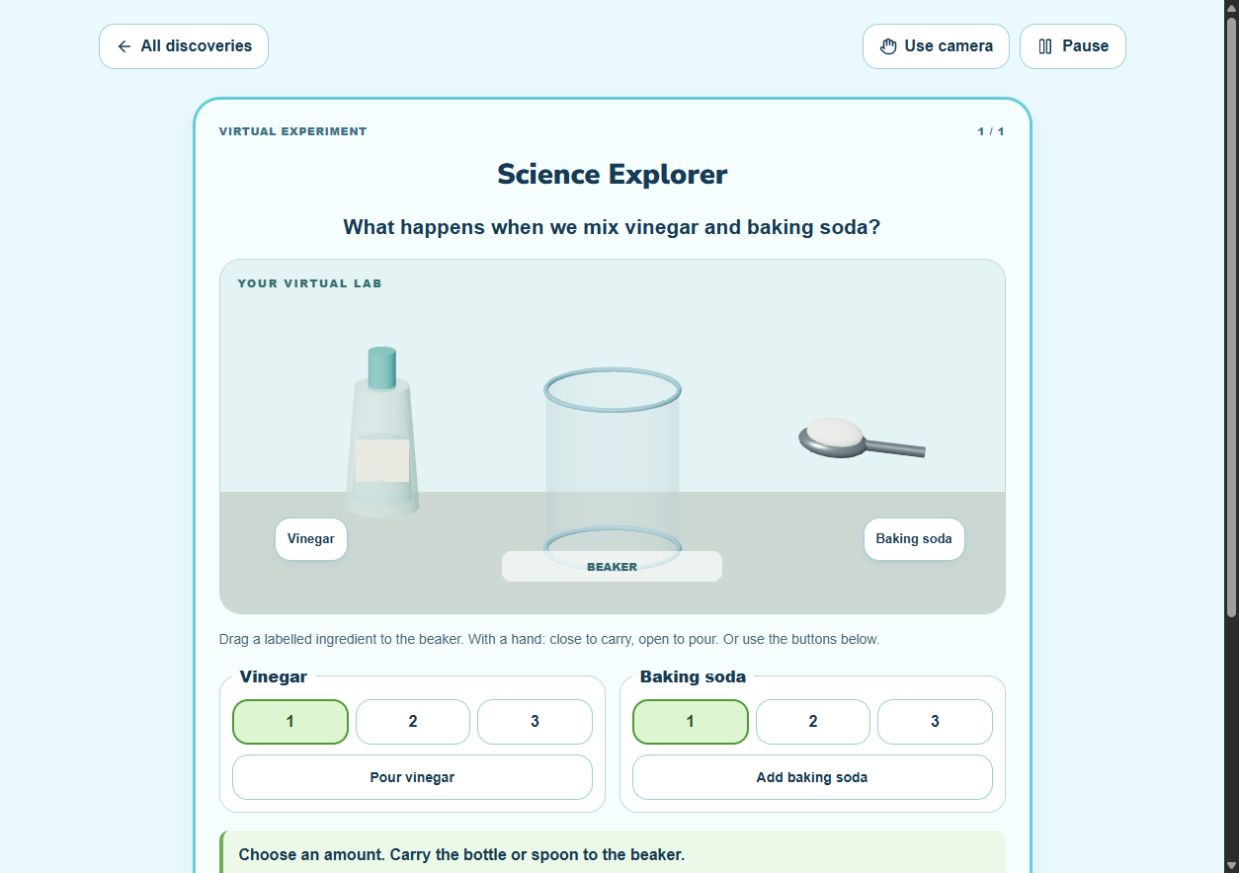
Science Explorer also includes a simulated vinegar-and-baking-soda activity. Choose the virtual ingredient amounts and observe the on-screen reaction. No real ingredients are required. The controls illustrate a simplified model, not laboratory measurements or instructions for a physical experiment.
Touch first; hand controls are optional
Touch controls work without camera access. Optional hand controls use on-device camera processing and work best with good lighting and a clear view of the hand. Return to touch whenever it is more comfortable. Read the parent and teacher guide before a first session.
Explore AirWords with us
Adults can enquire about Android testing access. Availability and next steps are confirmed by email.
Request testing accessBack to the AirWords learning app · Camera and progress privacy
By Elaichix · Updated 6 October 2026